Posts

Showing posts with the label Make The Cut

The Scrapoholic Design Team Monday
Image
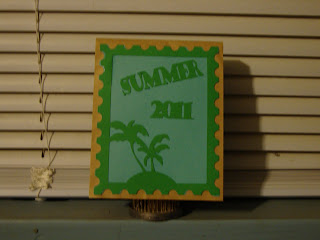
Its another Design Team Monday for The Scrapoholic !  Before I get into my project, I just want to say how thankful I am for the cooler temperatures and rain we had here in Oklahoma today.  It has been miserably hot and dry for most of the summer now, so today's weather was a nice reprieve.  How sad is it that I'm looking forward to temperatures closer to 100 than 110 in the upcoming week?!  For my project I created a paperbag mini album with Jill's Palm Trees Collection.  I'm not sure what I'll do with it yet, so I left the inside kind of bare. I made extra little pockets with the flaps that are actually the bottom of the bags. I'll probably add some lined cardstock to the little flaps for journaling and dress the whole thing up a bit more. I did get my niece's wedding invitations and RSVP cards finished and ready for her to pick up today.  I was excited she let me do them for her, but I'm even more excited to be finished with them so she ...

Baby Gift

Image
One of my customers had a baby girl earlier this month.  I made these for her using files from SVG Cuts .  The baby carriage is from SVG Cuts' Bundles of Joy kit.  I stuffed it full of baby girl socks. The card is from SVG Cuts' Breezy Backyard Lever Card kit.  The paper I used is K & Co's "Classic K Charlotte" paper pad.  The pinwheels are a free file from SVG Cuts.  The paper I used for them is DCWV Playtime stack.  A close up of one of the pinwheels.  Its hard to see the pattern on the paper because the colors are so muted. Thanks for looking!

Sure Cuts A Lot vs. Make The Cut

Lori asked the difference between Sure Cuts A Lot vs. Make The Cut.  To be quite honest, I'm not sure as I don't have Sure Cuts A Lot and haven't worked with it.  I've had Make The Cut for almost a year and find it very easy to design in.  Additionally, it seems like it is updated quite frequently and so far, there hasn't been a charge for the updates.  I LOVE the "Join" feature.  Its similar to "Welding" in Cricut Design Studio.  However, the project I was working on was a banner.  I used circles to create the scallops around the edges and welded them.  I needed holes in the top to run the ribbons through.  The "Join" feature allowed me to basically attach the circles to my other shapes so I could copy the whole mess and not have to move it piece-meal and make sure I got them in the right spot.  Wish I would have taken pictures of the Halloween Banner before I gave it to my mother.  But, I didn't and her darling dogs decided to eat...